QuickLook 3
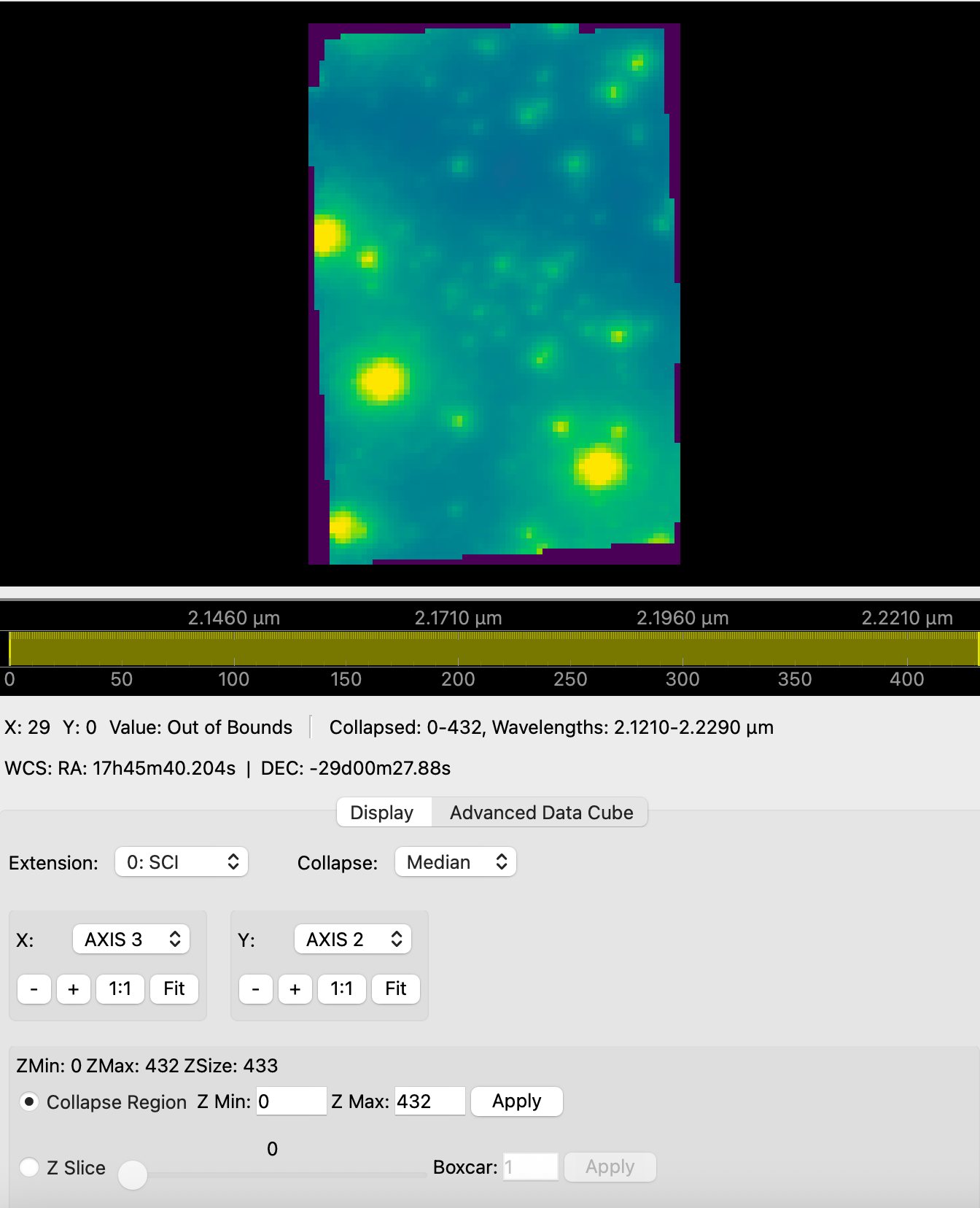
Welcome to the documentation for QuickLook 3—a modern, high-performance Python/Qt-based application designed for viewing integral field spectroscopy (IFU) data.
This tool is a replacement for the legacy IDL qlook2 GUI for viewing and analyzing FITS data originally built for the OSIRIS instrument at the Keck Observatory. While QuickLook 3 is optimized for OSIRIS data, it works seamlessly with most IFU instruments including JWST NIRSpec IFU and Gemini NIFS.
🚀 Downloads (Version v3.0.23)
Download the standalone compiled application for your operating system below. No Python installation is required.
macOS Installation Note
Because this is an open-source tool, it is not signed with a paid Apple Developer certificate. When you first open the app, macOS may block it and display a warning that the app "cannot be opened" or "is from an unidentified developer".
How to open the app:
- The Right-Click Method (Easiest): Instead of double-clicking, Right-click (or Control-click) on
QuickLook3.appand select Open. You will get a similar warning dialog, but this one will have an Open button. - The Settings Method: Double-click the app. When it fails, open your Mac's System Settings ➔ Privacy & Security. Scroll down, and you will see a message that QuickLook 3 was blocked. Click Open Anyway.
- The Terminal Method: If macOS falsely claims the app is "damaged and should be moved to the trash", open your Terminal and remove the quarantine attribute by running:
xattr -cr /path/to/QuickLook3.app
Launching from the terminal, and opening FITS files from Finder
After dragging QuickLook3.app to your Applications folder, choose
Help ➔ Install 'quicklook3' Command Line Tool... to get a quicklook3 command on your PATH:
quicklook3 cube.fits --collapse-range 100 200
The dialog shows exactly where the command will be installed and how to remove it
again (rm the one file it creates), and nothing is written until you agree.
The bundle also registers as a viewer for .fits, .fit, .fts and .fz, so
QuickLook 3 shows up in Finder's Open With menu.
One ordering note: open the app from Finder at least once (or run the xattr -cr command
above) before using quicklook3. macOS kills a freshly downloaded, quarantined app with no
message when it is started from a shell. See the
Command Line Guide for details.
✨ Key Features
- High-Performance Rendering: Built on PySide6 and pyqtgraph for efficient, hardware-accelerated visualization of large FITS data cubes.
- IFU Data Cube Visualization: View FITS cubes interactively. Extract depth spectra from specific spatial pixels.
- Z-Axis Collapsing: Collapse 3D ranges into 2D display slices using Median, Mean, or Sum algorithms on the fly.
- Astronomical Coordinates: Integrates WCS pixel-to-world (RA/Dec) coordinate translations at your mouse pointer.
- Advanced Scaling: Includes interactive Linear, Logarithmic, Square Root, AsinH, and Histogram Equalization scaling.
- Analysis Tools: Features built-in region cuts (horizontal, vertical, arbitrary lines), SNR estimates, Encircled Energy plots, 2D Peak Fitting, and Catalog Plotting.
- ds9-Style Regions: Draw circles, boxes, arrows and text over the image, edit them from a properties dialog or a table, and save or load them as readable YAML or ds9
.regfiles. - Several Cubes at Once: Open as many windows as you like (File ➔ New Window, or one per file on the command line). Each window has its own scaling, colormap and analysis tools, so two cubes can be compared side by side.
- Live File Polling: Monitor a directory for incoming data files and automatically load them in real-time.
🛠️ Developer Installation
If you prefer to run the application using Python instead of the compiled binaries, PyQL3 manages its dependencies using uv.
# 1. Clone the repository
git clone https://github.com/astrodatalab/pyql3.git
cd pyql3

# 2. Run with uv (auto-installs all dependencies)
uv run python main.py
👨💻 Authors
Tuan Do (UCLA)
Based on QuickLook 2 (ql2) for IDL from the OSIRIS Data Reduction Pipeline. See the contributors of the OSIRIS DRP here: https://github.com/Keck-DataReductionPipelines/OsirisDRP#alphabetical-list-of-contributors